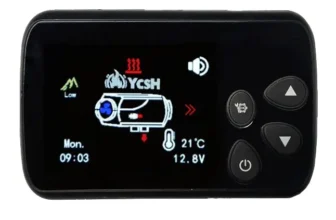
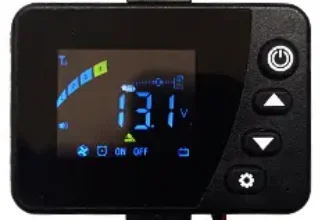
How to turn on the heating?
With the heating off you have to press the button (on/off) what is roulette during 3 seconds. The display will turn on and a number will appear on the screen.
How to turn off the heating?
being on, press the button “on/off” during 3 seconds, will appear on the screen “1Hz” blinking, which indicates that the heating is cooling. Once cooled the display turns off.
How to change the operating mode
To change the operating mode between manual and automatic you must press the button “on/off” on the left.
Manual mode: We can select the HZ between 1hz and 10hz, that will keep the fan and pump at a stable power without variations. The lower the number, less heat it will give.
Way automatic: We can select between 18º and 45º, The heating will automatically increase or decrease the heating power to reach the temperature that we indicate., and then keep it.
Error codes
This version has a switchboard that only works for this screen.
| FAILED / ERROR | Error code on the screen | Solution |
|---|---|---|
| Startup failure | E-01 | No flame detected |
| Fuel supply failure | E-02 | Diesel does not arrive |
| Incorrect voltage | E-03 | Check the battery or power supply, that is between 11.5v and 14.5v |
| --- | E-04 | --- |
| Temperature sensor failure | E-05 | Temperature sensor short circuit, or not connected. check and replace if necessary |
| fuel pump failure | E-06 | check the pump connection cables, and that the pump is not short circuited. |
| Fan failure | E-07 | Stuck fan, damaged cable / disconnected or fan shorted |
| Fallo Bujia | E-08 | Spark plug/heater shorted, or not connected. check and replace if necessary |
| Overheating error | E-09 | For some reason, the air does not pass well through the heating, and has exceeded the maximum temperature 260º |
| Overheating sensor failure | E-10 | Temperature sensor short circuit, or not connected. check and replace if necessary |