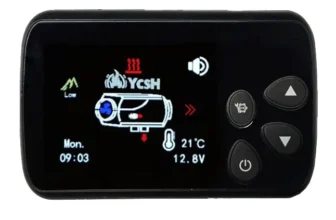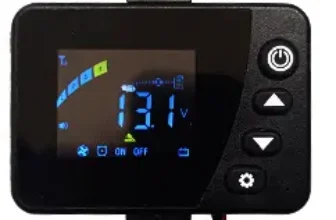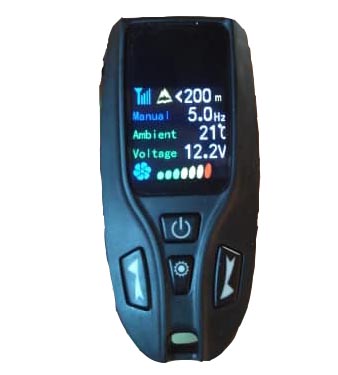

Before first start:
Before starting you must check the battery voltage, If it shows less than 12.0v, it probably won't start., since with the voltage drop it will drop below 11.5v which is the limit.
Before continuing, It would be advisable to charge the battery.
How to purge the heating:
With the heating turned off, you have to click on it “RECEPTOR” 5 times the power button quickly and without holding it down.
The pump will start to work to purge the circuit, can be stopped by pressing 1 turn off button.
You have to be careful, if you purge it too much, a big smoke will come out at the first start. You just have to leave it so that it burns all the excess diesel.
Receiver Pairing + receptor:
It seems that we have 2 versions, with differences when pairing the remote control with the receiver so I am going to explain the 2.
Version 1:
- We leave the power button pressed until we hear a “click” from the control unit relay, or until the fan starts to spin.
- We press 2 press the power button on the receiver several times in a row, it will start flashing blue.
- We go to the remote control, we press any button to turn it on, and while putting on the screen “conecting please wait” we simultaneously press the keys “switched on” + “setting”. It will put For pairing and it will synchronize itself.
Version 2:
- We leave the power button pressed until we hear a “click” from the control unit relay, or until the fan starts to spin.
- We press 5 press the power button on the receiver several times in a row, it will start flashing blue.
- We go to the remote control, we press any button to turn it on, and while putting on the screen “conecting please wait” we simultaneously press the keys “switched on” + “up arrow”. It will put For pairing and it will synchronize itself.
How to change operating mode:
Like other models, this one has 2 modes, one is for “HZ” and the other is for “Degrees”.
To change between one mode and another you just have to do the following key combination on the remote:
8-35º
1.3hz a 4.5hz
Up arrow + Down arrow simultaneously.
In HZ mode we select a fixed power that we can vary between 1.3hz and 4.5hz, and it will remain stable until we decide to modify it manually or turn it off.
In grade mode, The heating will automatically adjust to reach and maintain the temperature we have chosen., We can adjust it between 8º and 35º.
*This screen stands out in that it smoothly adjusts the power and we will not notice large jumps in the heating fan.
The temperature sensor is located
Height mode:
It seems that this command does not have height mode, nor can you manually configure combustion settings like other screens. Therefore, it is not indicated for heights of more than 1800/2000m..
The mountain symbol appears, but the only thing it does is indicate to the meters that you are.
(That is the theory and from comments that people have made to me) But as soon as I get a Revolution counter I have to order it.. I'll check it to make sure 100%.
Voltage:
This model is automatic, depending on battery voltage, It will detect if it is 12v or 24v. Be very careful if we use a transformer, from 14.7/15v it configures it as 24v, and it will give us error E-01.
Error codes:
Error codes on this model according to the manual, shows them on the receiver, through “blinks”. Likewise, the remote control will show us in text format what is happening.. In the event that the spark plug fails, it will “Spark plug error” The same thing happened with the rest of the errors..
For a better description of the error in Spanish, and to decipher what it means, it is better to look at how many times the receiver blinks and check the errors in the post that I leave below., It is not the same screen but the error codes are the same.